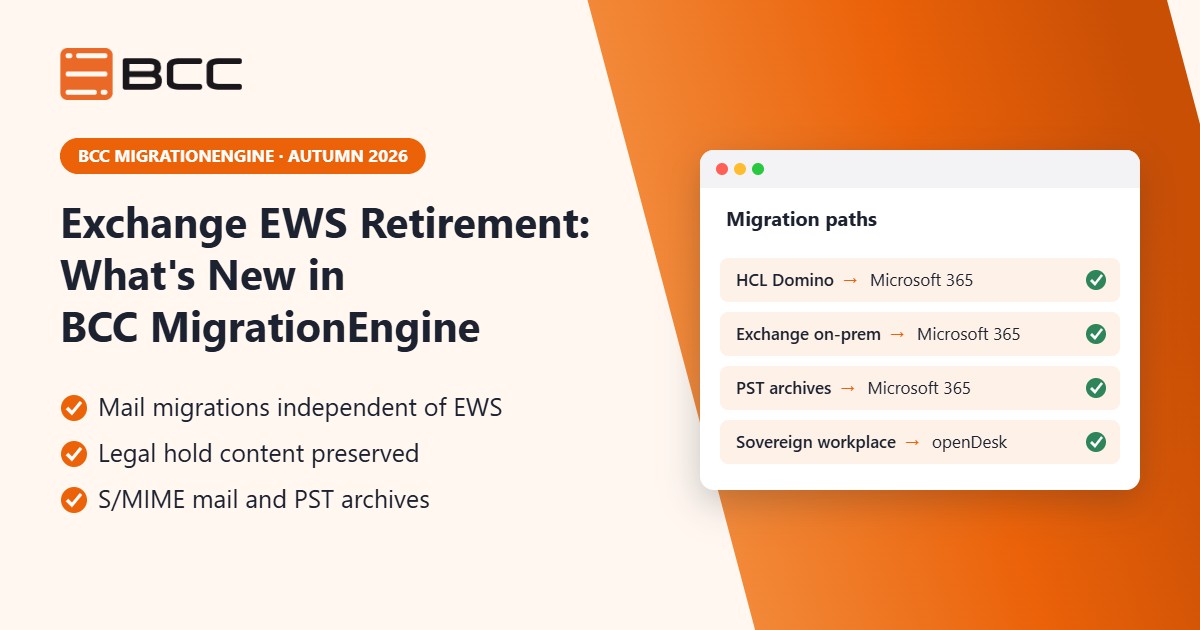
The autumn 2026 update of BCC MigrationEngine, released in September and October 2026, makes HCL Notes/Domino to Microsoft 365 migrations independent of Microsoft's EWS retirement. It also carries the compliance-critical data from Exchange into Microsoft 365: legal hold content, S/MIME-encrypted mail and PST archives.
Migration projects in regulated organisations run for months, often years. During that time Microsoft keeps changing the platform underneath them, and compliance teams keep asking what happens to the data they are responsible for. The latest updates to BCC MigrationEngine answer both questions: migrations carry on, and nothing your auditors need is left behind.
What you'll learn in this article
- What the EWS retirement in Exchange Online means for Domino to Microsoft 365 migrations
- How legal hold content, S/MIME mail and PST archives move into Microsoft 365
- Which Exchange mailbox data now comes across in full, including Teams meetings
- How BCC MigrationEngine handles large migrations reliably
- How to get the update
Contents
At a glance: what's new in BCC MigrationEngine
The autumn 2026 update of BCC MigrationEngine combines two releases from September and October 2026. Three changes matter most: Domino migrations are ready for the EWS retirement, Exchange migrations now carry compliance-critical data into Microsoft 365, and openDesk is a new target.
| Area |
What's new |
Who benefits |
| EWS retirement |
The full Domino to Microsoft 365 migration scope stays available after Microsoft retires EWS |
Project leads with running or planned Domino migrations |
| Legal hold content |
Content under litigation hold and recoverable items from Exchange on-premises is preserved in Microsoft 365 |
Legal and compliance teams |
| Encrypted mail |
S/MIME mail re-protected with Microsoft Purview sensitivity labels |
Security teams and end users |
| PST archives |
Scattered PST files imported with the quality of a mailbox migration |
IT operations and records management |
| Complete mailboxes |
Journal entries, notes, Outlook delegates, folder permissions and working Teams meeting links |
End users and helpdesk |
| Attachment policies |
Attachments filtered by type or size, with an exclusion report |
Project leads and auditors |
| openDesk |
openDesk as a new migration target |
Public sector organisations |
| Reliability |
Fast migration of large calendars, automatic retries and a clear status for every run |
Migration teams |
EWS retirement: Domino to Microsoft 365 migrations carry on
Exchange Web Services (EWS) is the long-standing interface that applications use to read and write mailbox data in Exchange. Microsoft is retiring EWS in Exchange Online: according to Microsoft Learn, EWS started to be disabled for all organisations in October 2026 and will be fully disabled in April 2027. Many migration tools still depend on EWS.
For migrations from HCL Notes/Domino to Microsoft 365, BCC MigrationEngine no longer does. Mail, calendars, contacts, tasks, rules, delegation and out-of-office replies all keep migrating after the retirement. Running and planned Domino to Microsoft 365 migration projects carry on as planned, without re-planning and without gaps in scope.
Legal hold, S/MIME and PST: compliance data in Exchange to Microsoft 365 migrations
With the autumn 2026 update, the data that legal, compliance and security teams worry about is now part of an Exchange to Microsoft 365 migration with BCC MigrationEngine. This matters most for regulated buyers such as banks, insurers and the public sector.
Legal hold content from Exchange on-premises
A litigation hold preserves all mailbox content, including deleted items and original versions of modified items, so that it is available for legal or regulatory requests (see Litigation Hold on Microsoft Learn). BCC MigrationEngine preserves content under litigation hold, together with deleted items and earlier versions from Exchange on-premises, in a dedicated, protected area of the Microsoft 365 mailbox. The hold itself is then applied again in Microsoft 365. No history is lost when the old servers are switched off.
S/MIME-encrypted mail with Microsoft Purview labels
S/MIME-encrypted mail often becomes unreadable after a migration, because users would need their old certificates. BCC MigrationEngine can re-protect S/MIME mail with Microsoft Purview sensitivity labels, so it stays readable and protected in Microsoft 365. Users no longer need their old certificates, and expired certificates are handled too.
PST archives into Microsoft 365
Scattered PST files are a blind spot in many migrations. BCC MigrationEngine imports PST archives into Microsoft 365 mailboxes with the same quality as a mailbox migration: mail, calendars with recurring series, contacts, tasks and the full folder structure.
Microsoft keeps changing the platform, and migrations with BCC MigrationEngine carry on, with nothing your auditors need left behind.
Complete Exchange mailboxes and working Teams meetings
Beyond compliance data, the autumn 2026 update of BCC MigrationEngine closes the gaps that users notice on their first day in Microsoft 365.
Teams meetings keep working
Calendars often contain Teams meetings whose links stop working after the move. For meetings the migrated user organises, BCC MigrationEngine creates a new Teams meeting in Microsoft 365 and updates the link in the calendar entry, including recurring series. This works best when all attendees of a meeting move together.
Journal entries, notes, delegates and folder permissions
Journal entries and notes now migrate automatically. Outlook delegates and folder permissions come across in full, so assistants and teams keep the access they had before the migration.
Attachment policies and exclusion reporting
Attachments can be filtered by type or size during the migration. A notice in the mail names what was removed, and the migration report shows what was excluded and why. Project leads and auditors get a complete record of the migration.
openDesk as a new migration target
BCC MigrationEngine now also migrates to openDesk, the sovereign workplace suite for the public sector. Read more in our announcement Digital sovereignty requires freedom of choice: BCC creates a direct migration path to openDesk.
Reliable large-scale email migration
The autumn 2026 update also makes BCC MigrationEngine more robust for large migration projects:
- Calendars with thousands of recurring meetings migrate without slowing down.
- Short server outages no longer cost data, because affected items are retried automatically.
- Every run report shows at a glance whether a run is complete, has errors or is incomplete.
- Security has been hardened throughout.
Quick win
Open the EWS usage report in the Microsoft 365 admin center. It shows which applications in your tenant still call EWS, so you know which tools and migration waves the EWS retirement affects.
Availability
The autumn 2026 update is available now as BCC MigrationEngine 5.8.1 in the BCC download area. Existing customers receive an updated licence file from BCC Support. For a demo or a test migration with your own data, contact sales@bcc.de.
Next steps
BCC MigrationEngine moves mail, calendars, contacts and tasks from HCL Notes/Domino and Exchange to Microsoft 365, openDesk and other platforms, including the data compliance teams care about. Learn more on the BCC MigrationEngine product page or about our cloud migration services.
Planning a migration before the EWS retirement takes full effect? Book a session with our BCC experts and we will walk through your scope, including legal hold content, encrypted mail and PST archives.
FAQ
What's new in BCC MigrationEngine in autumn 2026?
The autumn 2026 update of BCC MigrationEngine makes HCL Notes/Domino to Microsoft 365 migrations independent of the EWS retirement. Exchange to Microsoft 365 migrations now include legal hold content, S/MIME-encrypted mail and PST archives, and openDesk is a new migration target. The update is available as version 5.8.1.
What does the EWS retirement mean for Domino to Microsoft 365 migrations?
Microsoft started disabling Exchange Web Services in Exchange Online in October 2026 and plans to disable it fully in April 2027. Many migration tools depend on EWS, but BCC MigrationEngine no longer needs it for Domino to Microsoft 365 migrations. Mail, calendars, contacts, tasks, rules, delegation and out-of-office replies keep migrating, and running projects carry on as planned.
Can litigation hold content be migrated from Exchange on-premises to Microsoft 365?
Yes. BCC MigrationEngine preserves content under litigation hold, deleted items and earlier versions from Exchange on-premises in a dedicated, protected area of the Microsoft 365 mailbox. The hold itself is then applied again in Microsoft 365, so no history is lost when the old servers are switched off.
How do you migrate S/MIME-encrypted email to Microsoft 365?
BCC MigrationEngine can re-protect S/MIME-encrypted mail with Microsoft Purview sensitivity labels during the migration to Microsoft 365. The mail stays readable and protected, and users no longer need their old certificates, including expired ones.
How do I get the BCC MigrationEngine update?
The update is available as BCC MigrationEngine 5.8.1 in the BCC download area. Existing customers receive an updated licence file from BCC Support, and anyone who wants a demo or a test migration with their own data can contact sales@bcc.de.