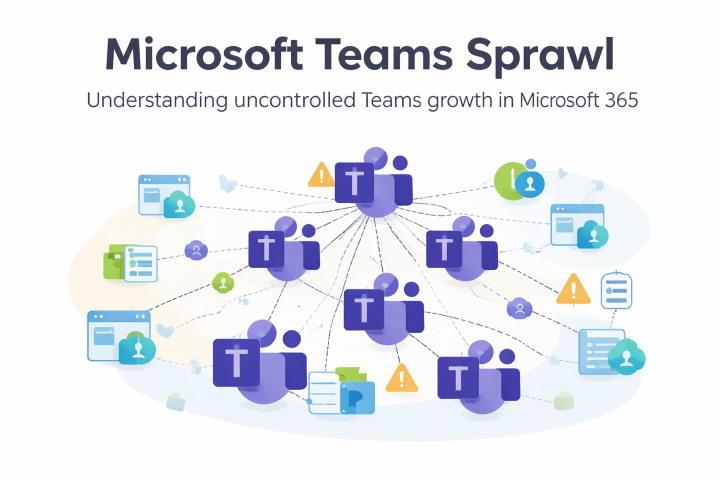
Microsoft Teams Sprawl is the invisible epidemic in M365 environments. 847 Teams in your organization? 60% of them inactive? Confidential data in orphaned Teams without owners? You are not alone.
Last week, Maria from Marketing created her 47th Microsoft Team. Kevin from IT has long since lost track of which Teams are still actively being used. And the compliance officer is desperately wondering in which of the orphaned Teams the confidential Q4 2025 financial reports are located.
In this guide, we'll show you how to systematically combat Teams Sprawl – from assessment through cleanup to automated governance with lifecycle policies and attestation workflows.
Teams Sprawl: The Invisible Epidemic in Microsoft 365
The term "sprawl" originally comes from urban planning and describes the uncontrolled urban sprawl of landscapes. In the Microsoft 365 world, it describes a similar phenomenon: the explosive, chaotic proliferation of Teams, channels, and groups that gets out of control and leaves behind a digital wasteland.
Unlike classic Microsoft 365 governance challenges, sprawl is not primarily about missing rules or policies. Sprawl also occurs in organizations with well-documented governance frameworks. The problem is rather the speed and volume of creation coupled with missing mechanisms for continuous maintenance and cleanup.
The Anatomy of Microsoft Teams Sprawl: How It Gets Out of Control
Microsoft Teams Sprawl typically develops in three consecutive phases: Honeymoon Phase (3-6 months), Growth Phase (6-18 months), and Crisis Stage (from 18 months after rollout).
In Phase 1, the "Honeymoon Phase," you roll out Teams. Enthusiasm is high, everyone wants to participate. Teams are created for every project, every initiative, every working group. This phase typically lasts 3-6 months.
Phase 2 is the "Growth Phase." The number of Teams doubles or triples. First duplicates emerge: "Project Team Alpha," "Project Alpha," "Alpha - Project Team." Users can no longer find what they're looking for and prefer to create a new Team rather than search through 200 existing ones. This phase can last 6-18 months.
In Phase 3, the "Crisis Stage," you have hundreds or thousands of Teams. 40-60% of them are inactive. Teams without owners, Teams with only one member, Teams that haven't had a single post in months. Storage consumption explodes, performance suffers, and users are frustrated. The IT team spends hours answering requests like "Where is the document we uploaded somewhere last year?"
The Hidden Costs of Teams Sprawl
The direct costs are obvious: storage, licensing, IT work time. But the indirect costs are often significantly higher. Employees spend an average of 2.5 hours per week searching for information in cluttered Teams environments. For a company with 500 employees, that's 1,250 lost work hours per week – over 60,000 hours per year.
Then there are the compliance risks – especially for companies in Germany, Austria, and Switzerland with strict GDPR requirements. Sensitive data lies in orphaned Teams without active monitoring. Former employees or external guests (keyword: guest user management) may still have access to Teams that no one manages anymore. During audits or eDiscovery requests, you must search through thousands of Teams, many of which are long irrelevant.
The productivity costs are subtler but real: decision fatigue (which Team does this file belong in?), context switching between too many Teams, and the cognitive load of keeping track of dozens of Teams.
No time for manual sprawl combat? Learn how BCC Affirmatic automates Teams Lifecycle. Book a free demo.
The Anti-Sprawl Action Plan for Teams
Step 1: Taking Inventory
Start with a brutally honest audit. Use PowerShell or Microsoft Graph API to capture the following metrics:
# Teams Sprawl Assessment Script
Connect-MgGraph -Scopes "Group.Read.All", "Directory.Read.All"
$allTeams = Get-MgGroup -Filter "resourceProvisioningOptions/Any(x:x eq 'Team')" -All
$sprawlMetrics = @{
TotalTeams = $allTeams.Count
TeamsWithoutOwner = 0
InactiveTeams90Days = 0
SingleMemberTeams = 0
DuplicateNames = @{}
}
foreach ($team in $allTeams) {
$owners = Get-MgGroupOwner -GroupId $team.Id
if ($owners.Count -eq 0) { $sprawlMetrics.TeamsWithoutOwner++ }
$members = Get-MgGroupMember -GroupId $team.Id
if ($members.Count -eq 1) { $sprawlMetrics.SingleMemberTeams++ }
# Duplicate name check
$baseName = $team.DisplayName -replace '\d+$', ''
if ($sprawlMetrics.DuplicateNames.ContainsKey($baseName)) {
$sprawlMetrics.DuplicateNames[$baseName]++
} else {
$sprawlMetrics.DuplicateNames[$baseName] = 1
}
}
$sprawlMetrics | ConvertTo-Json
Categorize your Teams: Active (regular activity), Zombie (old content, no new activity), Orphaned (no owners), Ghost (never used).
Step 2: The Challenge of Manual Cleanup
After the audit, the true dimension of the problem becomes visible. A typical company with 1,000 employees often has 500-1,000 Teams, of which 30-40% are problematic. Manual cleanup means:
- Sending hundreds of individual notifications to Team owners
- Coordinating escalation processes over weeks
- Tracking responses and following up
- Documenting archiving or deletion decisions
- All while managing daily business simultaneously
The reality: A one-time cleanup takes 40-80 hours of work time. And without continuous processes, you're back to square one in 6 months.
Step 3: The Limits of Native Microsoft Tools
Microsoft offers basic functionalities for sprawl management: Expiration Policies, Naming Policies, Creation Restrictions. However, these are distributed across different M365 admin centers and at the latest with 100+ Teams you hit limitations. This is where specialized solutions like BCC Affirmatic for Microsoft 365 governance come into play.
The Psychology of Sprawl: Why People Create Too Many Teams
Understand the motivations behind excessive Team creation to address them:
FOMO (Fear of Missing Out): People create their own Teams because they can't get into existing Teams or can't find them. Solution: Better discoverability and transparent Team directories.
Need for Autonomy: Some want "their own kingdom." Solution: Demonstrate that channels in existing Teams offer the same autonomy.
Ignorance: Many don't know that a suitable Team already exists. Solution: Mandatory search before Team creation in the approval process.
Project Thinking: Every new project = automatically new Team. Solution: Training about channels as a lightweight alternative.
Change Management: Bringing Employees Along
The biggest mistake in fighting Sprawl is approaching it purely technically. Sprawl is a human problem that manifests technically. Your communication strategy is crucial:
Framing matters: Don't talk about "restrictions" or "cleanup," but about "optimization" and "better discoverability." No one wants to be restricted, but everyone wants to work more efficiently.
Show Quick Wins: After the first cleanup, share success stories: "By archiving 300 inactive Teams, we freed up 2TB of storage and improved search speed by 40%."
Training over Restriction: Show alternatives. Many don't know that channels, Planner, or SharePoint sites are often the better choice than a full-fledged Team.
Teams Sprawl preventation is a Marathon, Not a Sprint
Teams Sprawl cannot be "solved" once. It's a continuous process that requires vigilance, automation, and change management. The good news: every hour you invest in anti-sprawl measures pays off multiple times in reduced storage, higher productivity, and better compliance.
Start small. Choose one department as a pilot for your first cleanup. Learn from the reactions. Refine your approach. And then scale gradually to the entire organization.
The Teams that remain are the ones that are actually being used. And that's exactly the environment in which collaboration thrives: focused, organized, and free from digital clutter. Avoiding Teams Sprawl is part of a holistic approach to Teams management. Learn more about other important aspects of Microsoft Teams governance.
BCC Affirmatic: Teams Sprawl Fighting on Autopilot
The processes described above generate a lot of manual effort and tie up capacity that is needed elsewhere. With BCC Affirmatic, the holistic solution for Office 365 governance, you transform Teams governance from a reactive firefighting exercise into a proactive, automated process.
Affirmatic automates the entire Teams sprawl combat: Intelligent approval workflows prevent unnecessary Team creation at the source, automatic attestation cycles ensure that Team owners must regularly confirm the relevance of their Teams, and proactive monitoring identifies potential zombie Teams. With granular lifecycle policies, you can define different rules for project Teams, department Teams, and temporary Teams without manual effort.
The decisive advantage: BCC Affirmatic significantly reduces the administrative effort for Microsoft Teams management while simultaneously improving compliance and empowering your users through self-service portals to work independently but in a controlled manner. If you want to get Teams Sprawl under control sustainably without permanently occupying your IT team with it, Affirmatic is the governance solution that transforms manual processes into automated workflows.
Learn how organizations implement Microsoft Teams governance in practice and sustainably reduce Teams Sprawl – with structured templates, lifecycle automation, and transparent oversight through BCC Affirmatic.
🎥 Watch On-Demand: Project Workspaces in Microsoft Teams – From Request to Archivinghttps://www.bcchub.com/en/videos-webinars/bcc-affirmatic-webinar-teamsgovernance?hsLang=en