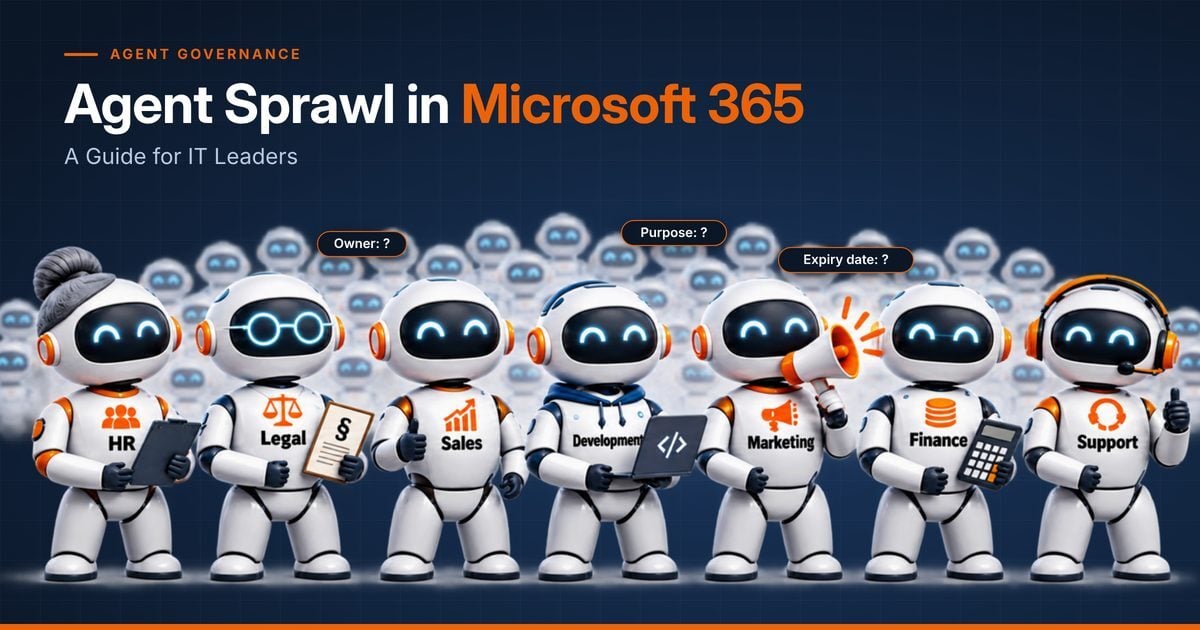
Agent sprawl is the uncontrolled growth of AI agents in an organisation: agents that nobody inventories, owns or retires. Gartner expects the average global Fortune 500 enterprise to run more than 150,000 AI agents by 2028, up from fewer than 15 in 2025, while only 13% of organisations believe they have the right AI agent governance in place.
If that sounds familiar, it should. Five years ago, Microsoft Teams spread through organisations faster than IT could keep track: teams without owners, external guests nobody remembered and data that outlived every project. AI agents in Microsoft 365 are repeating that pattern, only faster and with more access. This guide explains what agent sprawl means for IT leaders and how to get ahead of it before it becomes an audit finding.
What you'll learn
- What agent sprawl is and why it grows faster than Teams sprawl did
- The four risks that make agent sprawl a governance topic for IT leadership
- Which building blocks Microsoft provides, and where the gaps are
- Five steps to bring AI agents in Microsoft 365 under control
Contents
What is agent sprawl in Microsoft 365?
Agent sprawl describes a situation in which AI agents are created faster than an organisation can inventory, assign and review them. In Microsoft 365, agents are built in Copilot Studio, created with Agent Builder or added to SharePoint sites, often by business users and without a ticket to IT. Every agent works with the permissions of the people who use it and reaches the data that its knowledge sources and connectors open up.
Gartner describes the scale of the problem in its April 2026 guidance on AI agent sprawl: by 2028, the average global Fortune 500 enterprise will have more than 150,000 agents in use. Only 13% of organisations believe they have the right AI agent governance today. Even if your organisation is a fraction of that size, the trend is the same: agent numbers grow with every Copilot licence and every enabled maker.
Teams sprawl vs. agent sprawl: the same pattern, faster
Agent sprawl follows the pattern IT leaders already know from Microsoft Teams. The difference is speed and reach: an agent is built in minutes, and it acts rather than just stores.
| Aspect |
Teams sprawl |
Agent sprawl |
| Who creates it |
Every employee with self-service enabled |
Every employee with Copilot Studio, Agent Builder or SharePoint access |
| What it does |
Stores chats and files |
Reads data, answers questions and triggers actions |
| Typical orphan |
A team whose owner has left |
An agent whose creator has left, still running and still shared |
| Proven fix |
Owners, expiry dates and access reviews |
The same: owners, expiry dates and access reviews, applied to agents |
The good news for organisations that have already tamed Teams sprawl: the governance model works for agents too. Owners, purposes, expiry dates and regular reviews are not new ideas. They simply have to cover a new kind of object.
Four risks of unmanaged AI agents
1. Orphaned agents
An orphaned AI agent is an agent whose creator has left the company or changed roles, while the agent keeps running. Nobody checks whether its answers are still right, whether its knowledge sources are still appropriate or whether it is still needed. Microsoft's own agent lifecycle guidance puts it plainly: agents rarely fail dramatically, they slowly drift.
2. Data reach and oversharing
An agent in Microsoft 365 can only see what its users and its configured sources allow, but that is often more than intended. If SharePoint permissions are too broad, an agent makes that oversharing visible in seconds. Agent sprawl multiplies the number of places where this can happen.
3. Shadow AI through third-party apps
Beyond Microsoft's own agents, AI apps such as ChatGPT, Claude or Gemini can be connected to Microsoft 365 data through OAuth consent. Each consent is a new data path that IT should know about, with an owner and a reason.
4. Missing evidence for audit and works council
When internal audit, an ISO 27001 auditor or the works council asks who approved an agent, for what purpose and until when, most organisations have no answer in one place. In Germany and Austria, involving the works council early is especially important when new AI systems are introduced.
Every AI agent needs an owner, a reason and an expiry date, and you should be able to prove it at any time.
What Microsoft provides for AI agent governance
Microsoft has built strong foundations for governing AI agents in Microsoft 365. The key building blocks are:
- Microsoft Agent 365: the control plane for AI agents, generally available since 1 May 2026 and licensed per user. Its registry gives admins a central view of agents, their adoption and activity (Microsoft Learn).
- Microsoft Entra Agent ID: gives agents their own identities. Each agent identity needs at least one sponsor, a business representative accountable for the agent's purpose and lifecycle decisions (Microsoft Learn).
- Microsoft Purview and Microsoft Defender: protect data and detect threats while agents run.
- Power Platform and Copilot Studio admin tools: manage environments and agents where they are built.
These are building blocks, spread across several admin centres and licences. What most organisations still need on top is a governance process: who may request an agent, who approves it, who confirms each quarter that it is still needed, and what happens when nobody does. That process is where the business units come in, and where IT should not be the bottleneck.
Five steps to govern AI agents in Microsoft 365
The following five steps align with Gartner's recommendation to build a central agent inventory and to define identity, permissions and lifecycle for every agent. They work for any organisation, regardless of the tools used.
- Count your agents. Build an inventory of all AI agents across Copilot Studio, Agent Builder and SharePoint, including who created them and when they were last used.
- Assign an accountable owner. Give every agent at least one named owner in the business, not only in IT. Agents without an owner are the first candidates for review.
- Set a purpose and an expiry date. Document why each agent exists and until when it is needed. An expiry date turns "forever" into a decision that has to be renewed.
- Review regularly. Let owners confirm in a scheduled access review that the agent and its access are still warranted. Retire what is no longer needed.
- Keep the evidence. Record approvals, reviews and changes in one place, so audit and works council questions can be answered in minutes, not weeks.
Quick win: Ask your M365 team for one number this week: how many agents exist in your tenant, and how many of them have not been used in the last 30 days. That single figure usually starts the right conversation.
Next steps: govern AI agents like Teams, sites and guests
Affirmatic, BCC's Microsoft 365 governance platform, already gives Teams, SharePoint sites, Microsoft 365 groups and guests an owner, an expiry date and regular access reviews, approved by the business and not by an IT ticket. On 25 November 2026, we will show how the same process applies to AI agents in our webinar "Created, Forgotten, Risky: How to Stop Microsoft 365 Agent Sprawl" (4 pm Berlin, 3 pm London, 10 am New York).
Register for the webinar on 25 November or book a session with our governance experts. You can find more about the platform on the Affirmatic product page.
FAQ: agent sprawl and AI agent governance
What is agent sprawl?
Agent sprawl is the uncontrolled growth of AI agents in an organisation. Agents are created faster than they can be inventoried, assigned to an owner and reviewed, so many keep running without anyone being accountable for them.
How many AI agents will companies run by 2028?
Gartner expects the average global Fortune 500 enterprise to have more than 150,000 AI agents in use by 2028, up from fewer than 15 in 2025. Smaller organisations will see the same growth pattern at a lower absolute level.
Who owns an AI agent in Microsoft 365?
By default, the person who built an AI agent in Microsoft 365 is its creator, but that does not make them an accountable owner. Good AI agent governance assigns a named business owner, and Microsoft Entra Agent ID requires at least one sponsor for each agent identity.
Does Microsoft Agent 365 solve agent sprawl?
Microsoft Agent 365 provides the control plane: a registry, access control and security integration for AI agents. Solving agent sprawl also needs a governance process with owners, approvals, expiry dates and reviews that business units can run themselves.
What is the first step to govern AI agents in Microsoft 365?
The first step to govern AI agents in Microsoft 365 is a complete inventory: which agents exist, who created them and when they were last used. From there, every agent gets an owner, a purpose and an expiry date.