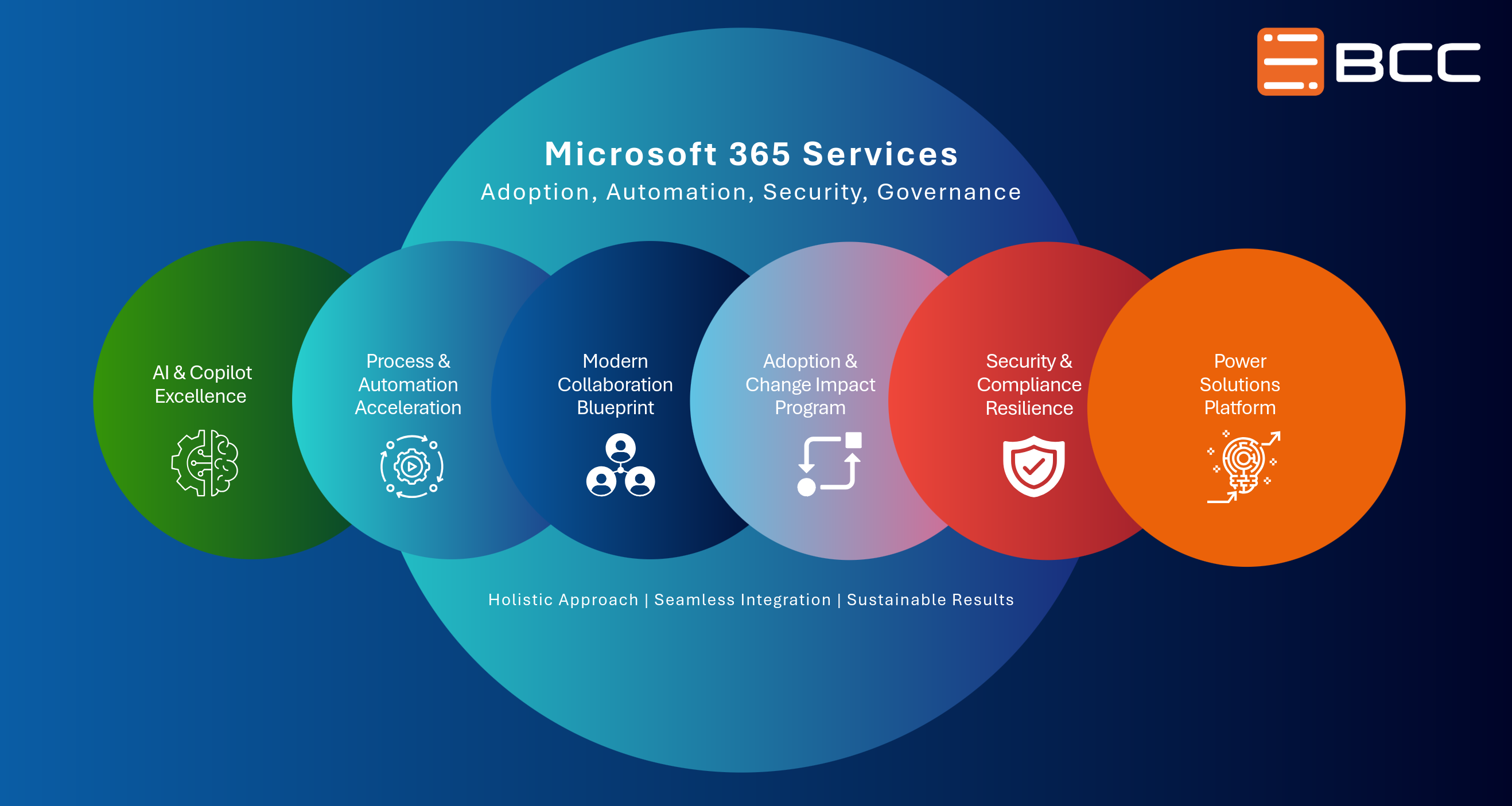
Modern Collaboration Blueprint
Microsoft Teams is powerful, but without a clear design, it can become cluttered. With the Modern Collaboration Blueprint, we develop a clear structure for your collaboration.

Successfully Implementing Modern Collaboration in Your Organization
Experience a new dimension of collaboration, productivity, and digital excellence. With the Modern Collaboration Blueprint, you can unlock the full potential of Microsoft 365 and create a modern work environment for your organization.
Our program goes far beyond a simple technical implementation. We raise awareness, encourage active use, and establish sustainable structures that enable real change within your organization.
Whether it’s executives, pilot groups, or entire teams- we guide your company on the path to an efficient, digital, and future-oriented work environment.
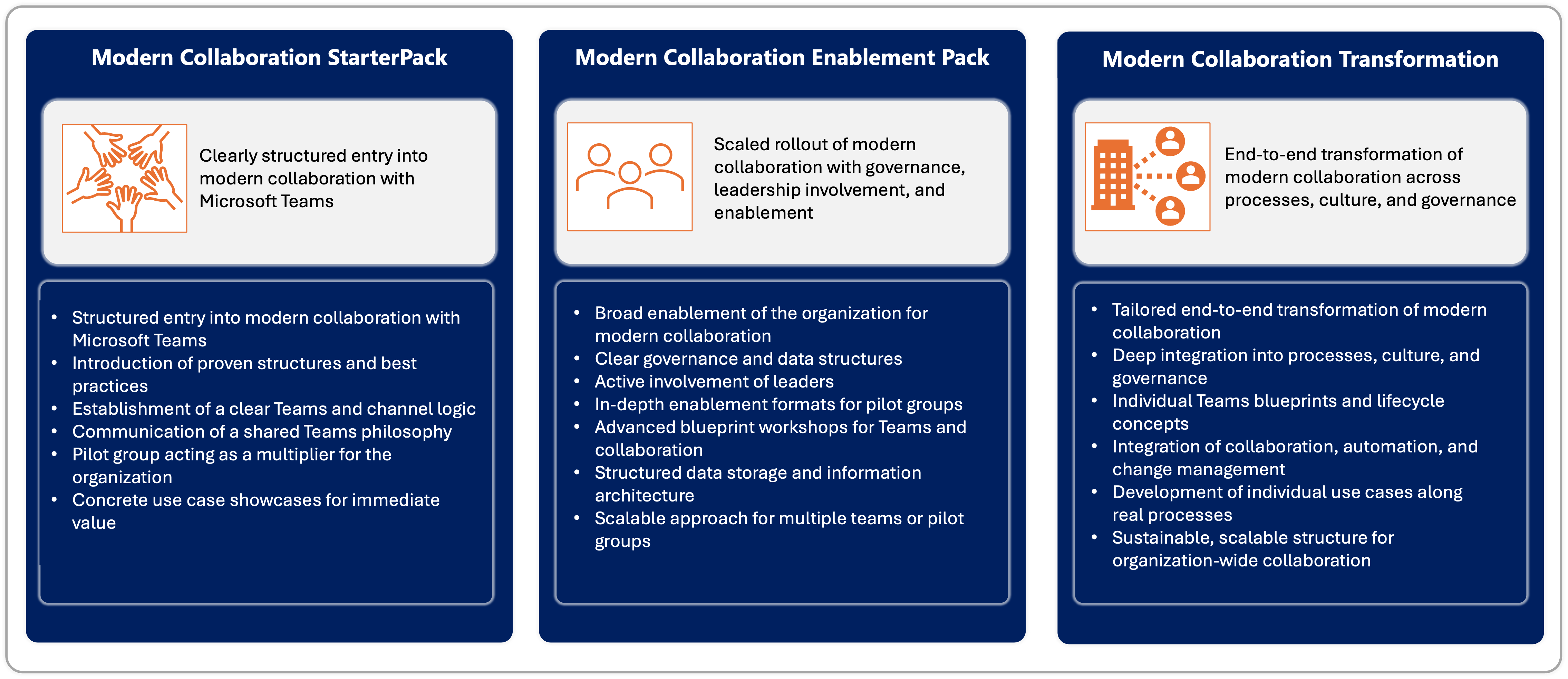
Your Transformation Program for Modern Collaboration
The Modern Collaboration Blueprint Package helps you implement Microsoft 365 strategically and sustainably. We combine workshops, governance frameworks, and hands-on training to improve collaboration within your organization in a sustainable way.
Strategic Awareness and Executive Alignment
A successful implementation of Microsoft 365 and Microsoft Teams starts at the executive level.
We foster a shared understanding of opportunities, challenges, and new ways of working. In doing so, we lay the foundation for a successful digital transformation and sustainable change.
Kickoff for Your Pilot Group
Together with your pilot group, we define:
- Goals and expectations
- Success factors for the rollout
- Specific use cases
Ihre Pilotgruppe wird zum Multiplikator für moderne Zusammenarbeit und unterstützt die Einführung von Microsoft 365 im gesamten Unternehmen.
Learning Sprints for Sustainable Skill Development
In a series of concise learning sprints, we provide practical knowledge on the most important features of Microsoft 365 and Microsoft Teams.
The learning modules are:
- Concise and easy to understand
- Practical in design
- Immediately applicable in everyday work
This way, your teams develop the necessary digital and collaboration skills step by step.
Microsoft Teams Design – Structure for Efficient Collaboration
A clear structure is essential for successful collaboration.
Design Structure I & II
Wir entwickeln gemeinsam eine skalierbare und benutzerfreundliche Teams-Struktur, die zu Ihren Geschäftsprozessen passt.
Design Implementation I & II
In the next step, we put the concept into practice and optimize:
- Team and channel structures
- Collaboration on projects
- Best practices for day-to-day work
Governance, Usage Policies, and Collaboration Etiquette
To foster sustainable collaboration, we work together to develop:
- Governance rules for Microsoft Teams and Microsoft 365
- Clear communication guidelines
- Usage policies and best practices
This helps you establish consistent standards for efficient digital collaboration.
Analysis of Your Collaboration Scenarios
We analyze your specific use cases and business processes to ensure the optimal integration of Microsoft 365 into your organization.
The result is a set of customized usage scenarios that deliver real value in your day-to-day work.
Your benefit: A professionally guided transformation program
With the Modern Collaboration Blueprint package, you receive a comprehensive program for implementing modern collaboration:
- Structured implementation of Microsoft 365 and Microsoft Teams
- Sustainable skills development for your teams
- Clear governance and usage policies
- Practical workshops with direct business relevance
- Long-term improvement in communication and collaboration
All workshops are prepared, facilitated, and followed up on. Upon request, we provide recordings of the sessions so that the knowledge remains available at all times.
Ready for modern collaboration?
Discover how the Modern Collaboration Blueprint package can help your company successfully implement Microsoft 365 and improve collaboration in the long term.
Take the first step toward a modern, efficient, and inspiring work environment today.
Use Cases by Department
Digital Onboarding and Offboarding
Structured Microsoft Teams workspaces ensure transparent to-do lists, automated document storage, and clear responsibilities throughout the onboarding and offboarding processes.
Employee Communication and Internal News
Using a SharePoint intranet and Teams channels, HR teams can centrally distribute important information, policies, benefits, and company news.
Training and Development Programs
Structured learning paths, knowledge libraries, and integration with Viva Learning support continuous professional development and talent development.
Feedback and Employee Surveys
Digital processes using Microsoft Forms and Teams enable structured employee surveys and centralized analysis.
Campaign and Content Collaboration
Shared workspaces in Microsoft Teams and SharePoint enable structured collaboration, version control, and clear approval processes for marketing content.
Brand Asset Management
Structured SharePoint document libraries ensure centralized management of logos, images, and marketing materials with clear governance.
Event Planning and Product Launches
Teams channels support the coordination of events, campaigns, and product launches with integrated task lists, meetings, and documents.
Quotation and Deal Collaboration
Teams channels for each customer enable structured collaboration, centralized quotation documents, and template management.
Sales Playbooks and Knowledge Hub
SharePoint-based knowledge bases provide best practices, sales playbooks, and onboarding guides for sales teams.
Efficient Customer Meetings
Standardized Microsoft Teams meeting structures, meeting minute templates, and follow-up processes improve the quality of customer meetings.
Project and Innovation Spaces
Microsoft Teams provides structured workspaces for idea generation, market analysis, and partner projects.
Competitive and Market Intelligence
Centralized research libraries in SharePoint enable the structured collection and analysis of market information.
Strategy Collaboration
Teams supports cross-departmental collaboration on strategies, roadmaps, and decision-making processes.
Governance and Lifecycle Management
Standardized Teams structures, naming conventions, and permission models ensure a scalable Microsoft 365 environment.
Support and Ticket Collaboration
Teams channels enable structured IT support processes with knowledge bases and self-service areas.
Change Communication
IT teams can transparently deliver updates, release notes, and training via Teams and SharePoint.
Budget and Forecast Collaboration
Shared workspaces enable transparent collaboration on budget planning, forecasts, and financial analyses.
Audit and Compliance Processes
Microsoft Teams offers secure document repositories for reviews, audits, and compliance documentation.
Approval Processes and Coordination
Standardized workflows and clear responsibilities support efficient decision-making processes in the finance department.